Lead Management and CRM
4 Best Practices for User Permissions in Salesforce Management
The Regie Team
|
Jul 31, 2026

Introduction
Navigating user permissions in Salesforce can be a complex challenge that directly impacts operational security and efficiency. By implementing best practices for user profiles and access management, organizations can ensure their sales teams have the right tools and information at their fingertips, driving productivity and compliance. Navigating the complexities of user roles can lead to security vulnerabilities and operational inefficiencies. Without a cohesive access strategy, organizations risk compromising both security and productivity. Let’s dive into four key practices for managing user permissions in Salesforce:
- Define user roles clearly.
- Regularly review and update permissions.
- Implement least privilege access.
- Train users on security best practices.
Define User Profiles for Effective Access Control
Establishing user permissions in Salesforce is crucial for maintaining control and security in your sales operations. Here’s how to define effective user profiles:
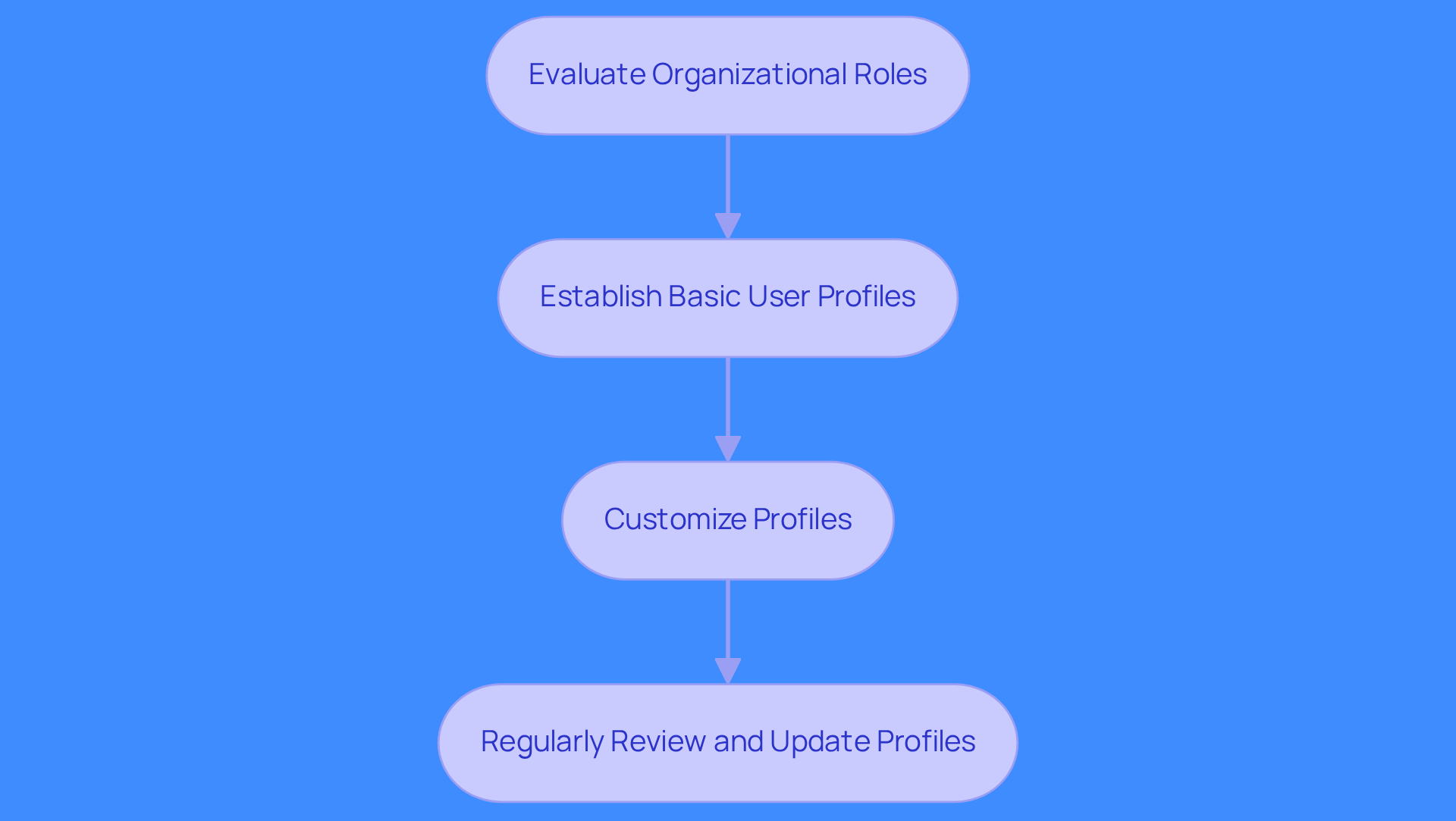
- Evaluate Organizational Roles: Identify the various roles within your organization and the specific access needs tied to each role. For example, sales representatives require access to leads and opportunities, while marketing teams need access to campaign data.
- Establish Basic User Profiles: Start with a basic user profile that grants only essential rights. This approach follows the principle of least privilege, minimizing the risk of unauthorized access.
- Customize Profiles: Adjust profiles to fit the unique requirements of different teams. A 'Sales Manager' profile might include permissions for reporting and analytics, while a 'Sales Rep' profile focuses on lead management.
- Regularly Review and Update Profiles: Consistently audit and refresh profiles to ensure they remain relevant and secure. This practice not only enhances compliance but also strengthens your overall security posture.
Utilize Permission Sets to Customize User Access
Managing multiple profiles in Salesforce creates confusion and inefficiencies in access management. To address these challenges, consider the following steps to effectively utilize permission sets:
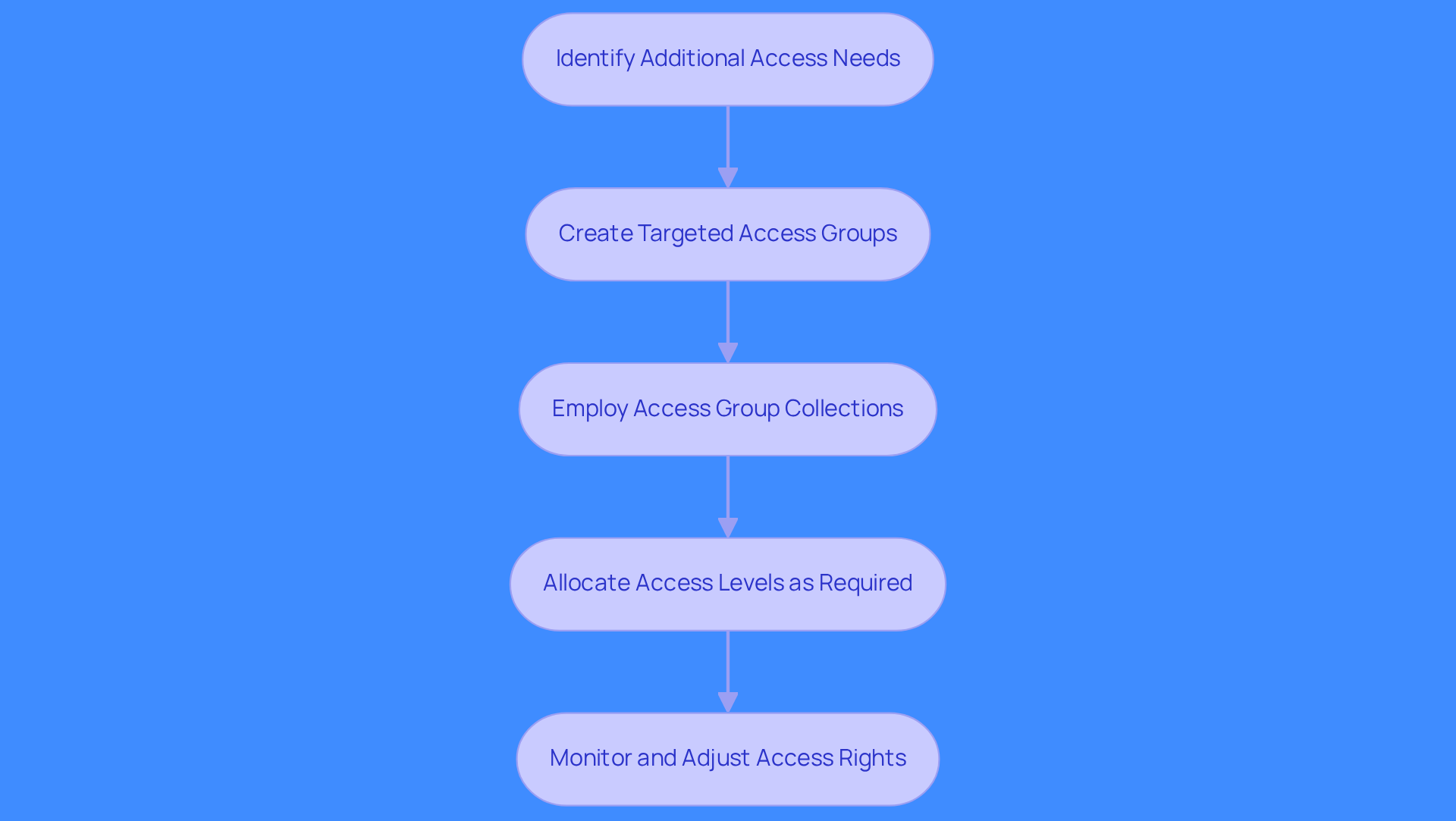
- Identify Additional Access Needs: Determine what additional authorizations users need beyond their assigned profiles. For instance, a sales representative might require permission to view a particular report or dashboard that is not part of their profile.
- Create Targeted Access Groups: Develop access groups that grant specific rights. For example, a 'Report Access' access set could be established to enable individuals to view specific reports without modifying their main profile.
- Employ Access Group Collections: For individuals with complex roles, create access group collections that combine multiple access configurations. This streamlines administration and ensures individuals obtain all required access rights without the inconvenience of assigning them one by one.
- Allocate Access Levels as Required: Allocate access levels to individuals according to their roles and responsibilities. This enables a more detailed approach to access management, ensuring individuals have the rights they require to carry out their tasks efficiently.
- Monitor and Adjust Access Rights: Regularly review assigned access sets to ensure they meet current individual needs and organizational policies. Adjustments may be necessary as roles evolve or as new projects arise. Additionally, be cautious of over-permissioning, which can expose sensitive data. Implementing User Access Policies can help automate access assignments and reduce administrative workload, enhancing security and compliance.
By implementing these strategies, organizations can streamline user permissions in Salesforce and enhance operational efficiency.
Implement Permission Set Groups for Streamlined Management
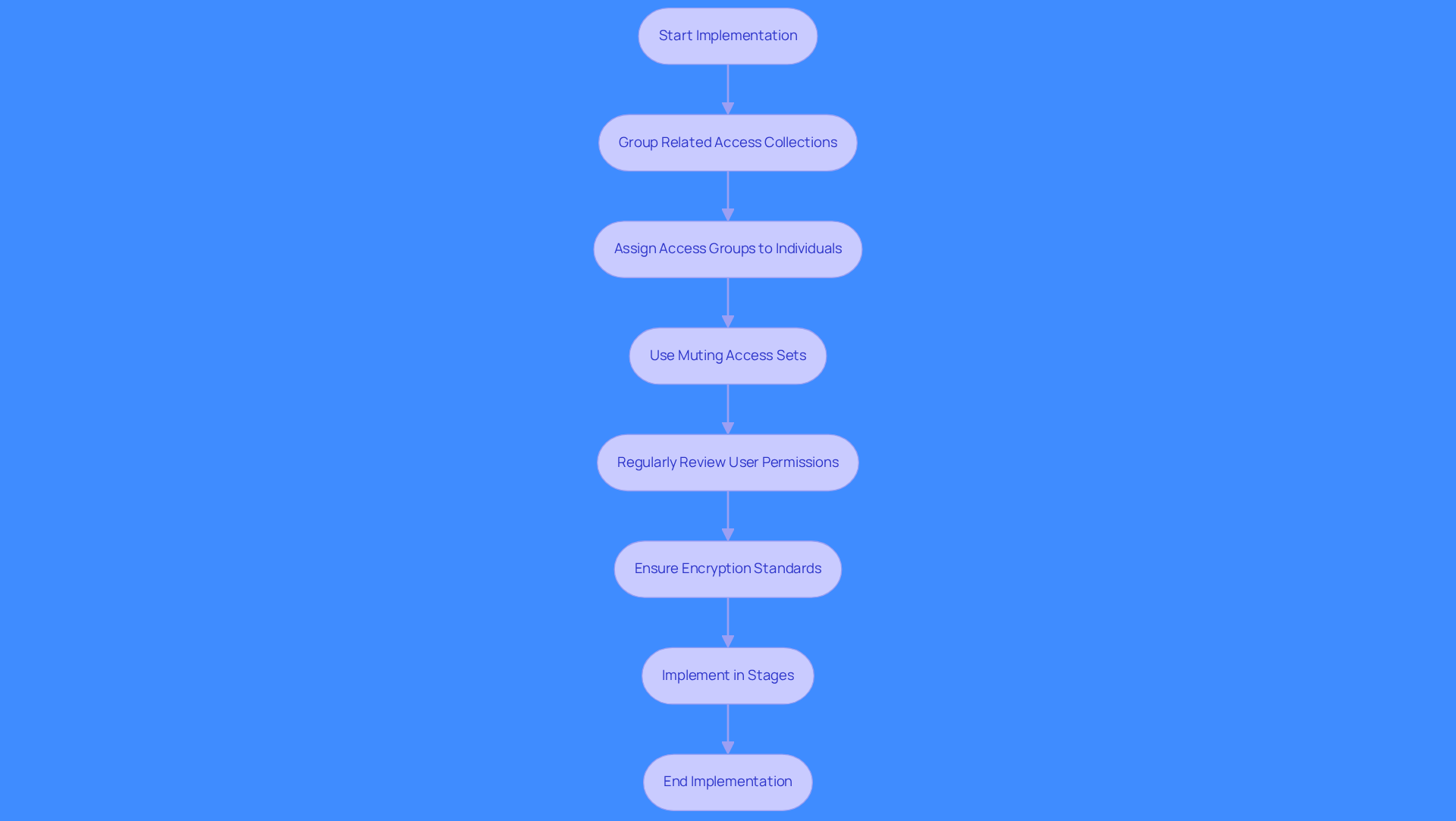
Mismanaged access configurations can expose organizations to significant security risks. Implementing user permissions in Salesforce through permission set groups can streamline access management. Group related access collections to simplify management. Assign access groups to individuals to manage user permissions in Salesforce for streamlined access. Use muting access sets to refine permissions as needed. Regularly review user permissions in Salesforce to maintain effectiveness. Ensure encryption standards are part of your security model to protect sensitive data. Mismanaged profiles can lead to unauthorized access and data breaches. Implement access set groups in stages to minimize disruption. Implementing these practices leads to improved security and operational efficiency.
Develop a Cohesive Access Strategy for User Management
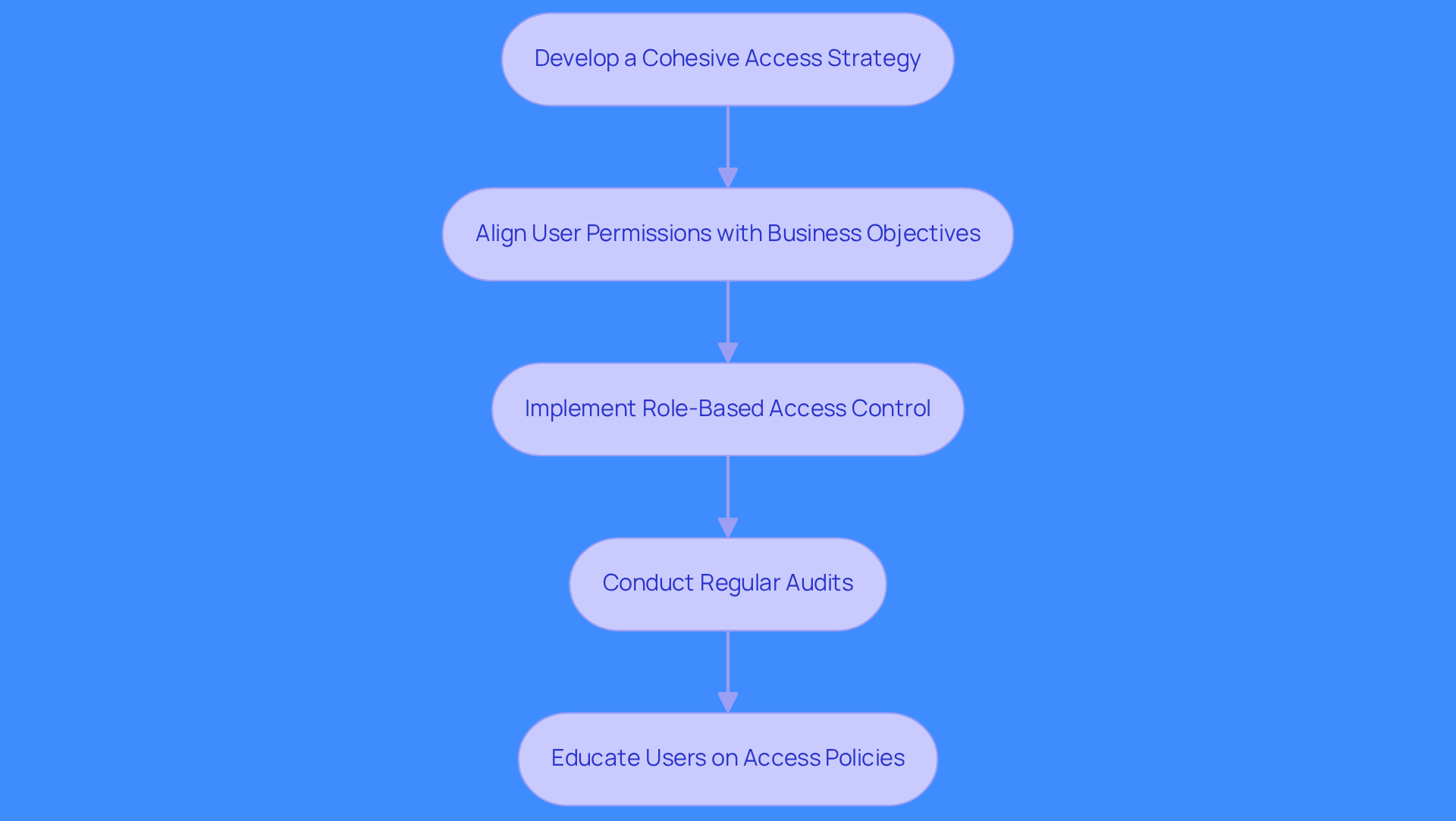
Sales teams often face delays in accessing critical data, hindering their ability to respond swiftly to market changes. Align user permissions in Salesforce with business objectives to ensure that sales teams can quickly access the data they need. Implement role-based access control to streamline management and ensure that user permissions in Salesforce allow teams to have the right information at their fingertips.
- Conduct regular audits to identify inconsistencies in access rights, reducing insider risk and enhancing security.
- Educate users on access policies to minimize risks and enhance compliance.
Without a unified approach to access management, organizations risk operational inefficiencies and increased security vulnerabilities.
Conclusion
Effective user permissions in Salesforce are critical for securing sensitive data and enhancing sales team performance. Defining user profiles and using permission sets and groups ensures teams access the right information when they need it.
Key practices include:
- Evaluating organizational roles to create tailored user profiles
- Customizing access with permission sets
- Grouping permissions for streamlined management
Regular audits and user education further enhance compliance and security. Unauthorized access can lead to significant operational setbacks and security breaches, making these strategies vital for operational efficiency. Aligning user permissions with business objectives enables teams to act decisively in a fast-paced market.
Adopting best practices for user permissions in Salesforce is essential for maintaining security and agility. Organizations that implement these strategies will not only protect their data but also enhance their sales effectiveness in a competitive landscape.
Frequently Asked Questions
Why is establishing user permissions in Salesforce important?
Establishing user permissions in Salesforce is crucial for maintaining control and security in sales operations.
How can I evaluate organizational roles for user profiles?
Identify the various roles within your organization and the specific access needs tied to each role, such as sales representatives needing access to leads and opportunities, while marketing teams require access to campaign data.
What is the principle of least privilege in user profiles?
The principle of least privilege involves starting with a basic user profile that grants only essential rights, minimizing the risk of unauthorized access.
How can I customize user profiles in Salesforce?
Customize profiles to fit the unique requirements of different teams, such as including permissions for reporting and analytics in a 'Sales Manager' profile, while focusing on lead management in a 'Sales Rep' profile.
Why is it important to regularly review and update user profiles?
Regularly auditing and refreshing profiles ensures they remain relevant and secure, enhancing compliance and strengthening your overall security posture.
List of Sources
- Define User Profiles for Effective Access Control
- The Salesforce Admin's Guide to Profiles and Permissions - Salesforce Admins (https://admin.salesforce.com/blog/2026/the-salesforce-admins-guide-to-profiles-and-permissions)
- Salesforce Profiles to Permission Sets: What Mid-Market Orgs Should Actually Do in 2026 — Equals11 (https://equals11.com/blog/salesforce-profiles-to-permission-sets-what-mid-market-orgs-should-actually-do-in-2026)
- Reduce Salesforce Profiles for Greater Efficiency - Salesforce Admins (https://admin.salesforce.com/blog/2024/reduce-salesforce-profiles-for-greater-efficiency-podcast)
- DESelect Blog - Salesforce Roles vs Profiles (and Permission Sets): The Complete 2026 Guide (https://deselect.com/blog/salesforce-roles-vs-profiles-and-permission-sets-the-complete-2026-guide)
- Utilize Permission Sets to Customize User Access
- Salesforce Permissions Guide: User, Object & Role Access (https://grax.com/blog/salesforce-permissions)
- Permission Sets in Salesforce: The Ultimate Guide (https://reco.ai/hub/permission-sets-in-salesforce)
- Enhancing Salesforce User Permissions Management With New User Access Policies (https://salesforceben.com/enhancing-salesforce-user-permissions-management-with-new-user-access-policies)
- Salesforce User Management: Profiles vs Permission Sets (https://advancedcommunities.com/blog/the-future-of-user-management-in-salesforce-switching-from-a-profile-based-access-approach-to-permission-sets)
- Implement Permission Set Groups for Streamlined Management
- Why you should move to Salesforce Permission Set Groups (https://elements.cloud/blog/why-you-should-move-to-salesforce-permission-set-groups)
- Introducing The Next Generation of User Management: Permission Set Groups - Salesforce Admins (https://admin.salesforce.com/blog/2019/introducing-the-next-generation-of-user-management-permission-set-groups)
- Explore the Enhancements to Permission Set Groups in Salesforce (https://sweetpotatotec.com/exploring-the-enhancements-to-permission-set-groups-in-salesforce-winter-25-release)
- Spring ‘26 Transition from Profiles to Permission Sets, Are You Ready? - RSM Technology (https://technologyblog.rsmus.com/technologies/salesforce/spring-26-transition-from-profiles-to-permission-sets-are-you-ready)
- Streamline User Access Management in Salesforce | Alex Zlidin (https://linkedin.com/posts/alexzlidin_simplify-salesforce-user-access-management-activity-7300829486114074625-ojvN)
- Develop a Cohesive Access Strategy for User Management
- Salesforce Security in 2026: Key Changes That Reduce Risk and Strengthen Trust - Read More (https://citrincooperman.com/In-Focus-Resource-Center/Salesforce-Security-in-2026-Key-Changes-That-Reduce-Risk-and-Strengthen-Trust)
- Salesforce Spring 2026 Release (https://salesforce.com/products/innovation/spring-26-release)
- Salesforce Setup and Access Updates for 2026 (https://agileinfoways.com/blog/whats-new-in-salesforce-setup-access-2026)
- Set Up Role-Based Salesforce Access for Enhanced Data Security (https://softbay.com/blog/role-based-salesforce-access-data-security)
- 27 famous quotes about customer service from CEOs & business leaders - Salesforce.com (https://salesforce.com/ca/hub/service/famous-customer-service-quotes)